A new line on your Home Screen every day
Recall
A new line on your Home Screen every day.
One line of public domain literature, in its original words, on your widget every day. One tap keeps it, and a few days later you recall it right in the widget. No account needed.

The basics are free · No account · 33 languages
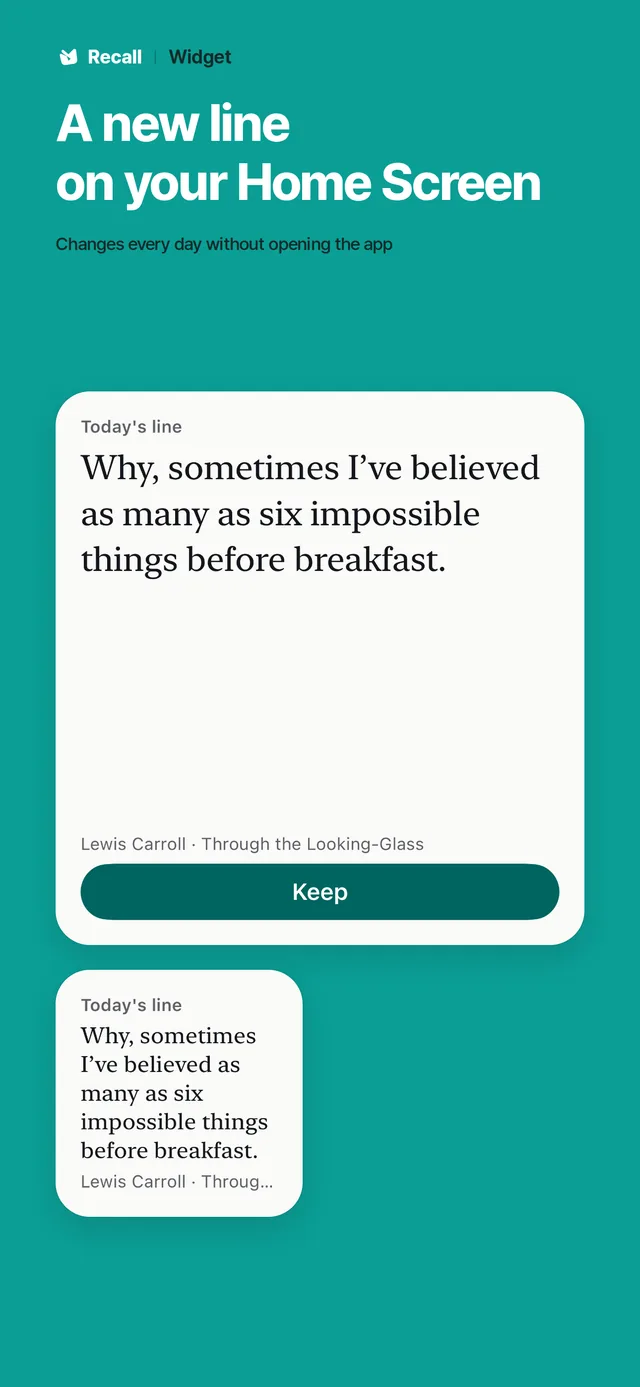
The real widget · the line is from the app.
- iPhone · iPadApp Store
- AndroidGoogle Play
How it works
Add it. Keep it. Recall it.
Add the widget
Put the widget on your Home Screen and a new line arrives every day, without opening the app.
Keep
One tap keeps a line you like. Pick the themes you like, or choose from all the lines yourself.
Recall
From the next day a kept line comes back in the widget with part of it hidden. Try to recall it, reveal it, then tap Got it or Again.
What it does
The lines come to you.
Keeping and recalling work the same on both platforms. Check By device below for differences such as Lock Screen widgets and sync.
01A line a day, on your Home Screen
Today’s line sits in the widget and changes without opening the app. Every widget size is free.
02Recall inside the widget
Kept lines come back after 1, 2, 4, 7, 14, 30, 60 and 120 days. Reveal and grade them right there in the widget.
03Write it
Copy a line, or write it from memory. Only the missed words are marked. There is no score.
04Exactly as written, with sources
Public domain literature in its original language, unchanged. Nothing is rewritten or invented, and every line shows its author, its work and a link to the source.
05Lines you choose
Pick the themes you like: comfort, love, courage, nature, thought or longing, and each day’s line comes from them. Not feeling today’s line? Choose another. Browse every line and search by text, author or work.
06You choose what the widget shows
Today’s line, your own lines in turn, or one pinned line. Recall in the widget can be turned off.
07Calendar
One page a day. Every past day is free to revisit, and the days you kept or wrote a line are marked.
08Add your own lines easily
Paste copied text straight in. In a photo, tap one word and its whole sentence is selected. Text is read on your device, and your lines come back with the rest.
09Lines in 8 languages
Choose literature in Korean, English, Japanese, German, French, Spanish, Portuguese or Italian.
10Import, export and backup
Bring in Kindle My Clippings and files exported from Goodreads or Readwise. Export and full backup are free too.
Inside the app
From the widget to the calendar.
The screens shown on the iPhone store. The lines are from the app.
6 screens · scroll sideways
01Widget
A new line on your Home Screen
Free
- It changes every day without opening the app
- Today’s line, your lines in turn, or one pinned line
- Every widget size is free
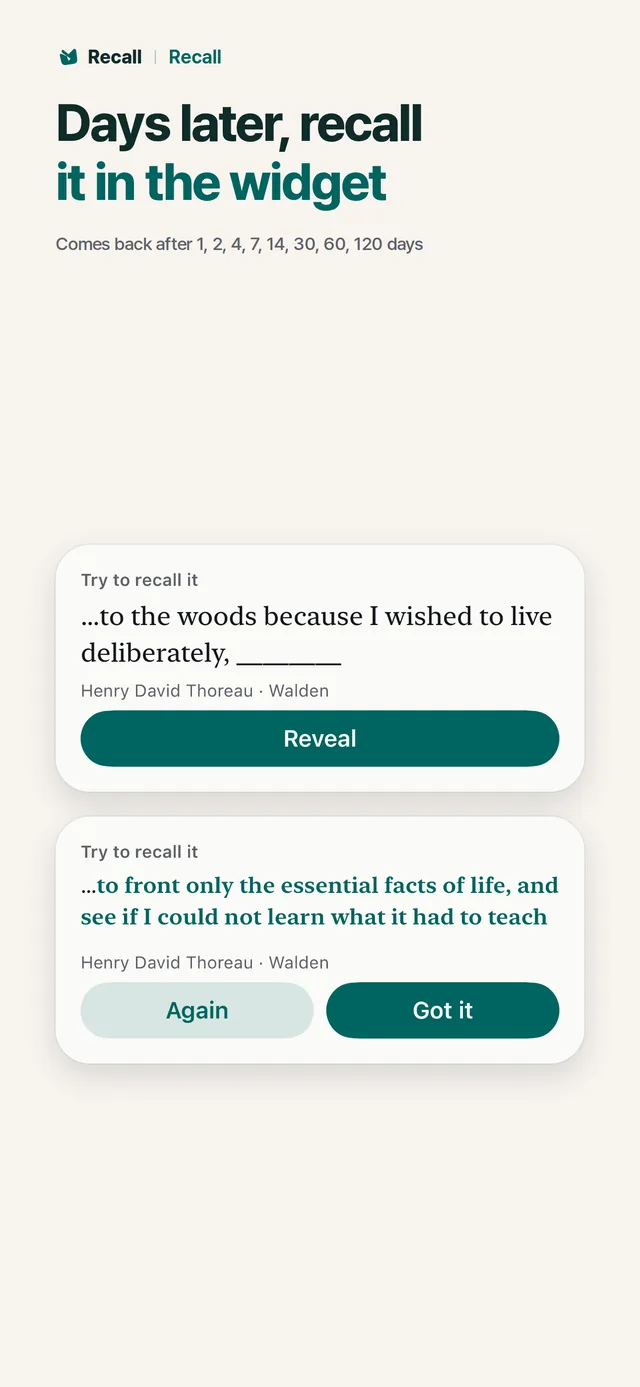
02Recall
Days later, recall it in the widget
Free
- A kept line first comes back the next day
- The gap grows: 1, 2, 4, 7, 14, 30, 60, 120 days
- You can also try it in the app right after keeping it
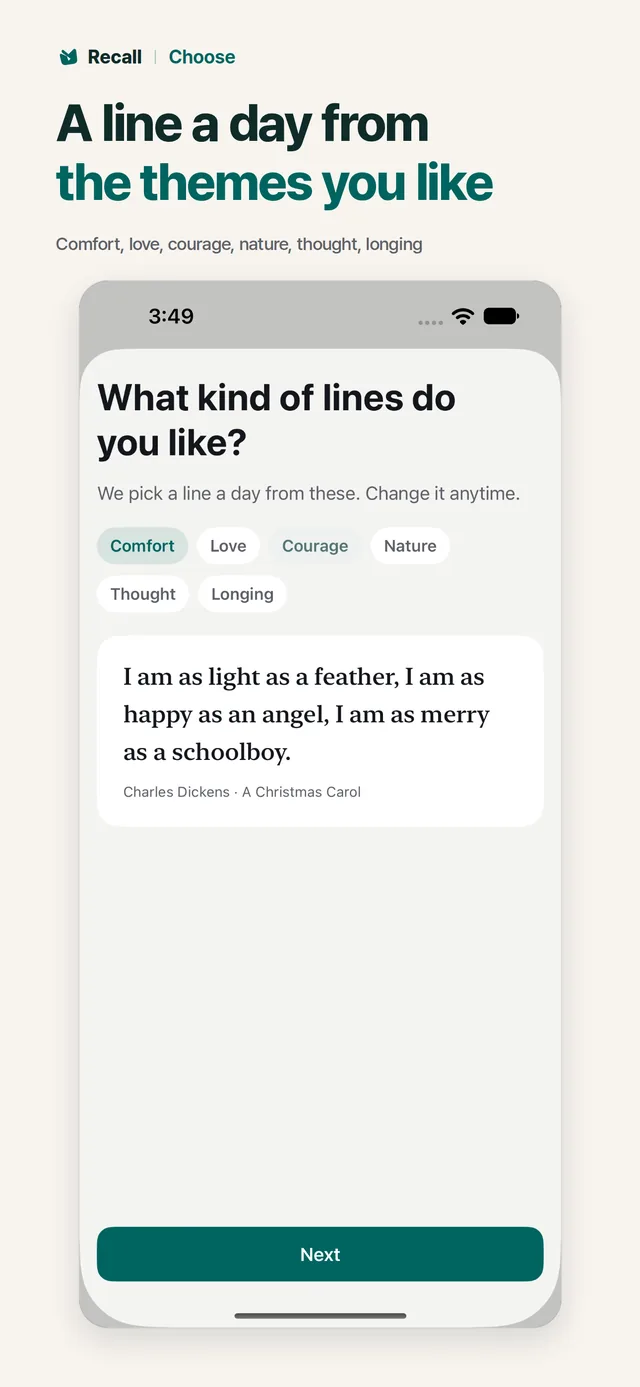
03Choose
A line a day from the themes you like
Free
- Today’s line changes right away
- Not feeling it? Choose another line
- Change it anytime in Settings
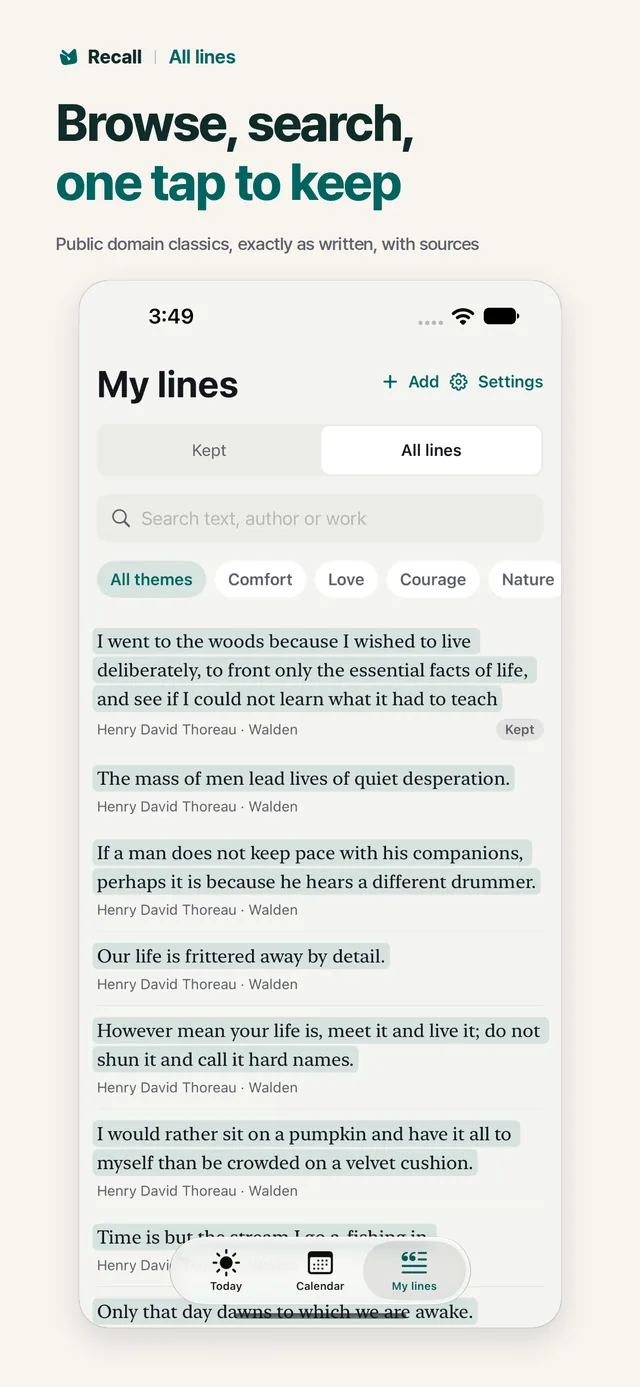
04All lines
Browse, search, one tap to keep
Free
- Search by text, author or work
- Public domain literature, exactly as written
- Every line shows its author, its work and a link to the source
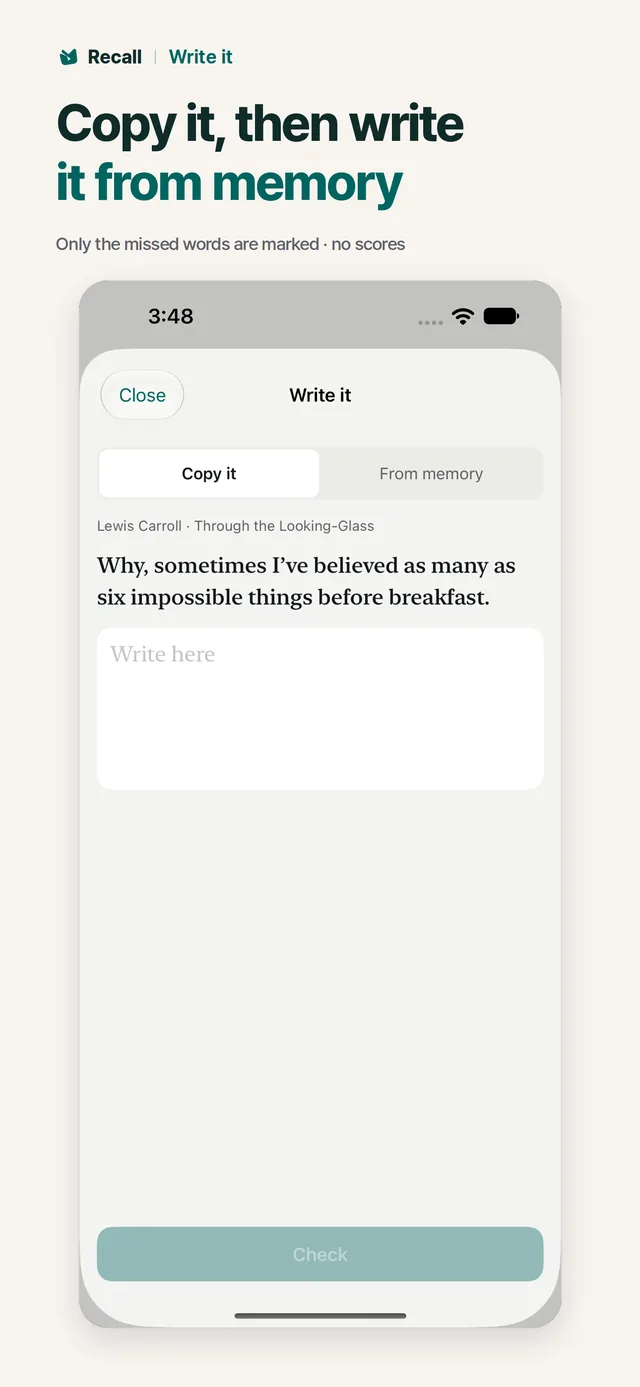
05Write it
Copy it, then write it from memory
Free
- Only the missed words are marked
- There is no score
- Lines you write are kept in My lines
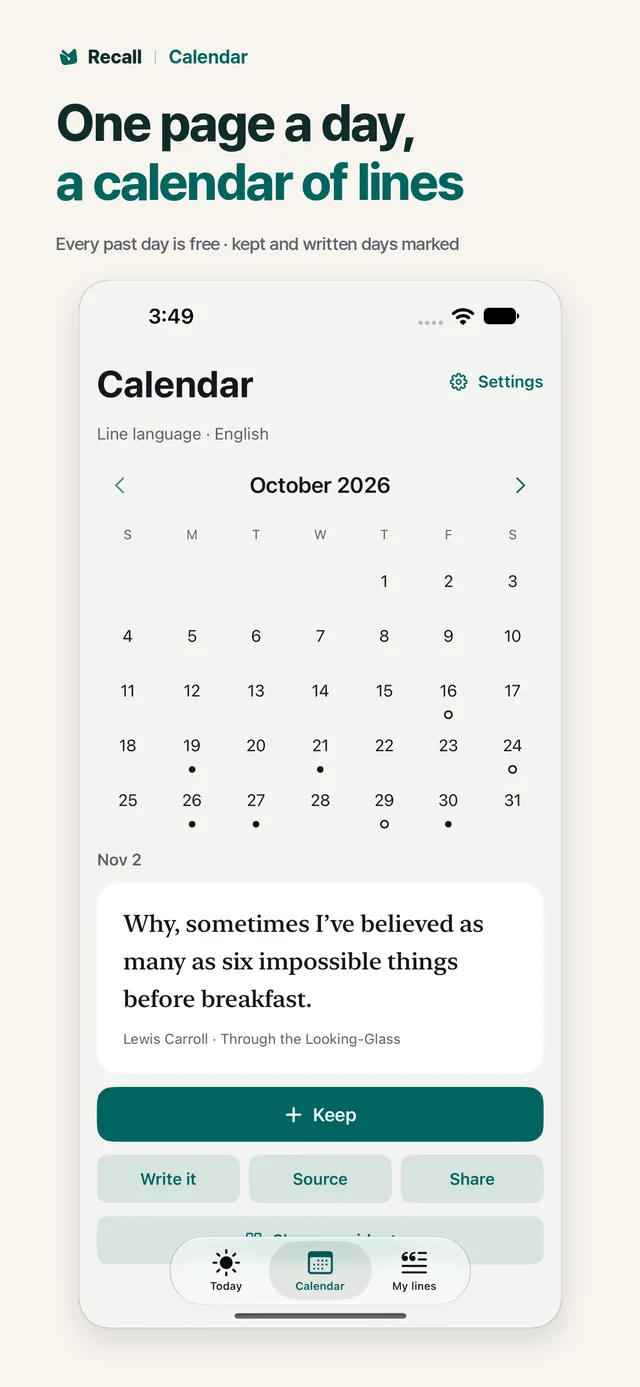
06Calendar
One page a day
Past days free · days to come with Pro
- The days you kept or wrote a line are marked
- Revisit every past day, free
- Pro reads ahead through the days to come
- No account or sign-in
- No ads
- No tracking
- No records uploaded to Vivory Lab
- No AI-written lines
Free and Pro
The core is all free.
Widgets, keeping, recall, themes, all lines, adding your own lines and export are free. Nothing you do every day is capped.
Basic
Free
No account needed
- Today’s line and every past day of the calendar
- Themes, another line and browsing all lines
- Every widget, and choosing what it shows
- Keep as many lines as you like, and recall them
- Write it, Source and Share
- Add your own lines
- Lines in 8 languages
- Import, export and full backup
Pro
One-time purchase
Not a subscription · check the price in the store
- Read ahead through the days to come
- Widget styles (three backgrounds, two fonts)
- iPhone and iPad only: sync through your own iCloud
- Not a subscription
- Pro is a separate one-time purchase in each store. Use it again on the same Google account on Android, or the same Apple account on iPhone and iPad. Family Sharing is on iPhone and iPad only.
- Price
- The price differs by country. Check it on the App Store or Google Play.
Countries and languages
174 countries and regions. 33 languages.
- Where
- The iPhone and iPad app is on the App Store in 174 countries and regions, mainland China excluded. The Android app is on Google Play.
- App language
- Recall follows your device language and falls back to English. Change it under App languages in Settings on Android 13 or later, or iPhone Settings > Recall > Language.
- Line language
- Lines come in 8 languages: Korean, English, Japanese, German, French, Spanish, Portuguese and Italian. If your app language is not one of these, you start with English lines and can change that in Settings.
- The same everywhere
- No account, and your lines and photos stay on your device. The lines ship inside the app, so it does not call a Vivory Lab server.
App languages33
- 한국어
- English
- 日本語
- 简体中文
- 繁體中文
- Español
- Português
- Français
- Deutsch
- Italiano
- Nederlands
- Svenska
- Dansk
- Norsk
- Suomi
- Polski
- Čeština
- Magyar
- Română
- Hrvatski
- Српски
- Ελληνικά
- Русский
- Українська
- Türkçe
- Bahasa Indonesia
- Tiếng Việt
- ไทย
- Filipino
- हिन्दी
- العربية
- עברית
- فارسی
Spot an awkward translation? Let us know and we will fix it in an update. Contact us
By device
A little different on each device.
- iPhone · iPadApp Store
iPhone and iPad are the same app. Besides Home Screen widgets there are Lock Screen widgets. Pro includes sync through your own iCloud and supports Family Sharing. It is bought separately from Pro on Android.
- AndroidGoogle Play
Home Screen widgets are included. Pro on Android is the days to come and widget styles, with no sync between devices or Family Sharing. It is bought separately from Pro on iPhone.
Good to know
Common questions
Where do the lines come from?
They are chosen from public domain literature and ship inside the app: authors who died in 1945 or earlier, in the original language, unchanged. Each line is checked character by character against the text from Wikisource, Aozora Bunko or Project Gutenberg, and links to its source. Old spellings stay as they are.
Where are my records stored?
Your lines and photos are stored on your device. With Android backup on, your records (not photos) are backed up to your Google account. Sync on iPhone and iPad with Pro uses your own iCloud and is not on Android. See the privacy policy for details.
What does the server see?
Nothing. The lines are inside the app, so it does not call a Vivory Lab server. Tapping Source opens that page in your browser. See the privacy policy for details.
Where does text recognition run?
Text recognition for your own lines runs on your device. Google ML Kit on Android may send usage diagnostics to Google. See the privacy policy for details.
How far does free go?
Widgets, keeping, recall, themes, browsing all lines, past days of the calendar, Write it, Source, sharing, adding your own lines, changing the line language, export and full backup are all free. Pro adds the days to come and widget styles, plus iCloud sync on iPhone and iPad.
Will it send notifications?
Reminders are off until you turn them on. Then you get today’s line once a day at the time you choose, along with how many lines are due.
When can I get it?
It is on the App Store and Google Play now.
Today’s line
What will today’s line be?
The basics are free. Start right away, no account needed.
Go there